PromptDeck
A downloadable tool for Windows
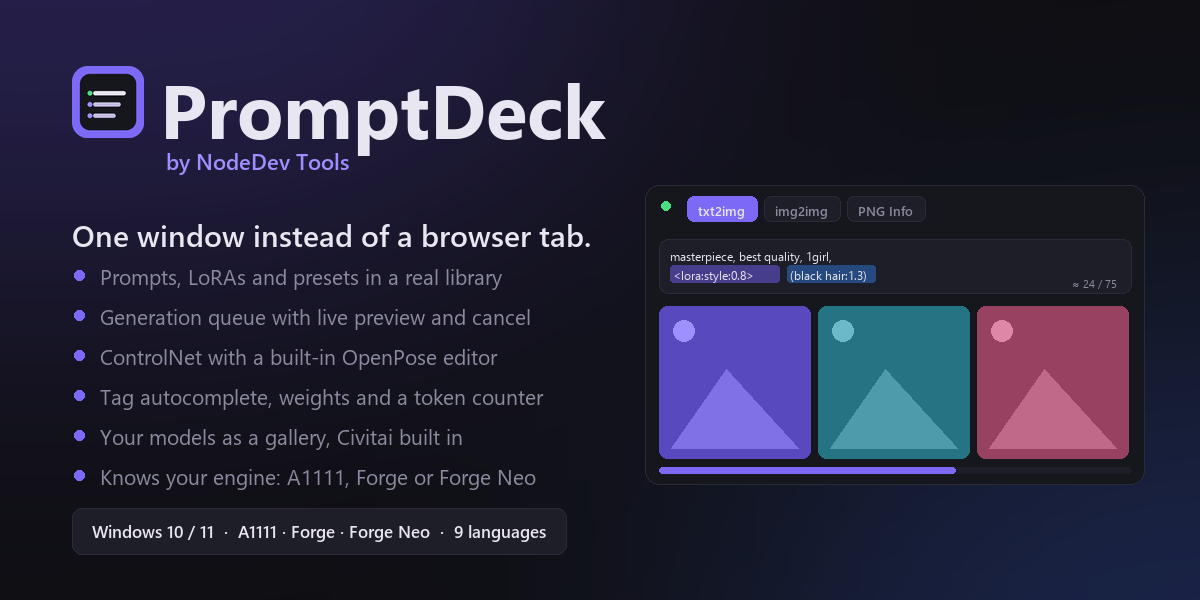
PromptDeck — the desktop control panel for Stable Diffusion. Works with your existing Automatic1111, Forge or Forge Neo install.
One window. Your prompts, your models, your queue, your images — all in one place, all on your PC.
😤 You already know this feeling
You made something great last week. Today you cannot make it again.
The prompt was in a Notepad file, or a browser tab you closed, or the metadata of a PNG somewhere among four thousand others. It was that model, probably that sampler, definitely one of those LoRAs — but not which, and not at what strength. So you rebuild it from memory and it comes out almost right.
That is not Stable Diffusion's fault. It was just never given a workbench.
🎯 The problems it kills
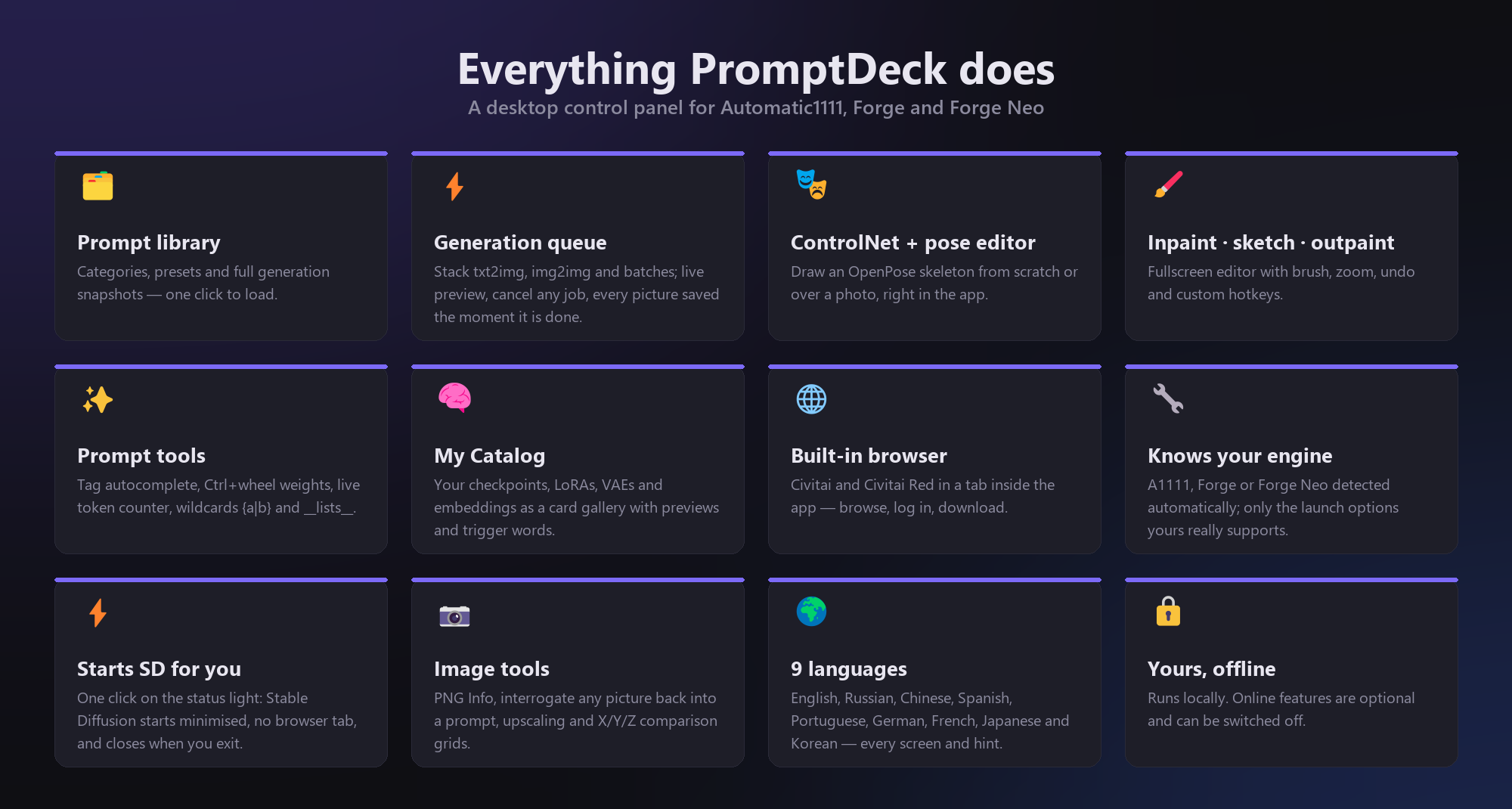
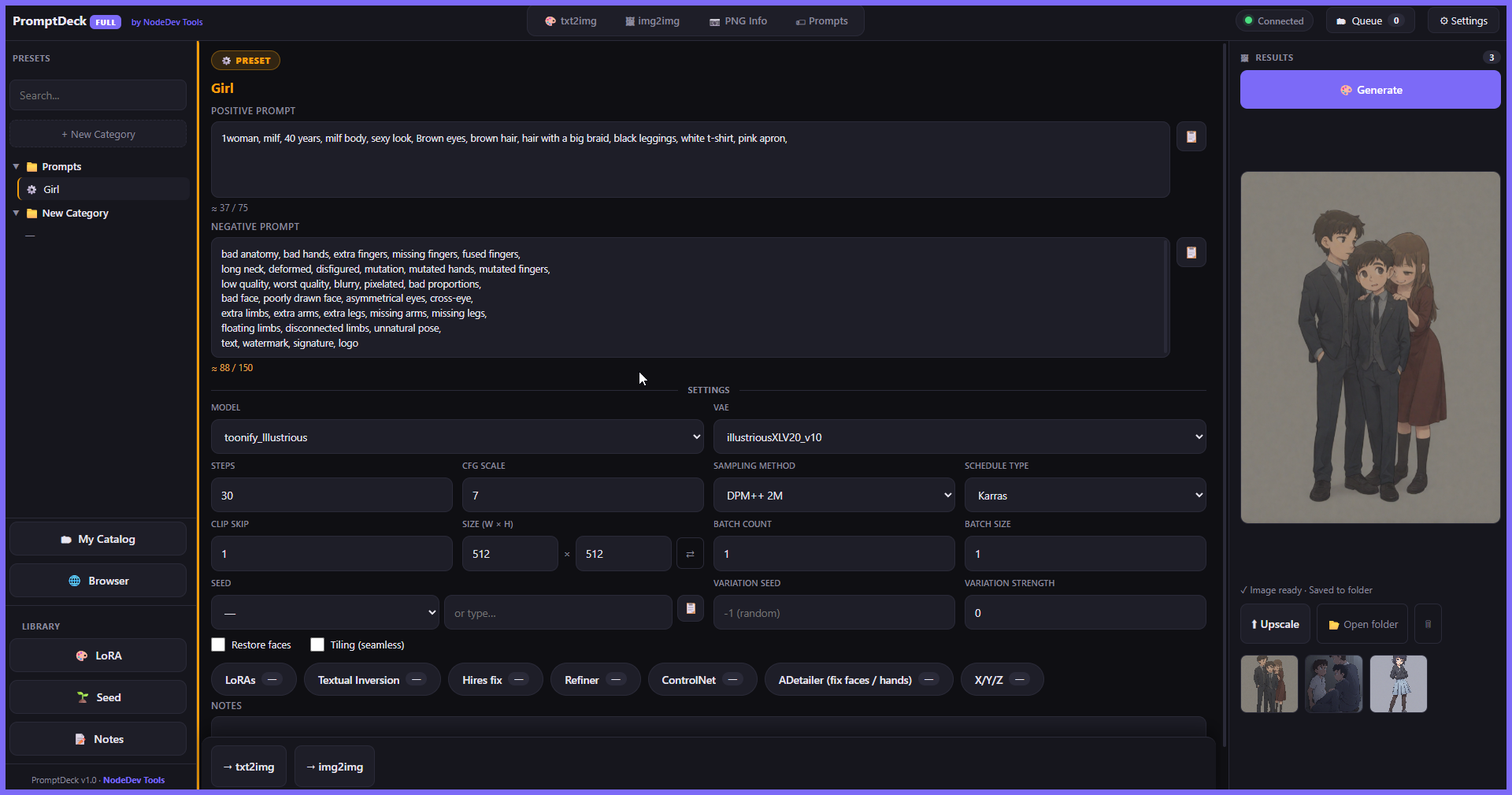
- "Which prompt made this?" — a preset keeps the whole recipe: prompt, negative, model, VAE, sampler, scheduler, steps, CFG, Clip skip, size, seed, LoRAs and their strengths. One click and you are back to that exact look. Not approximately — exactly.
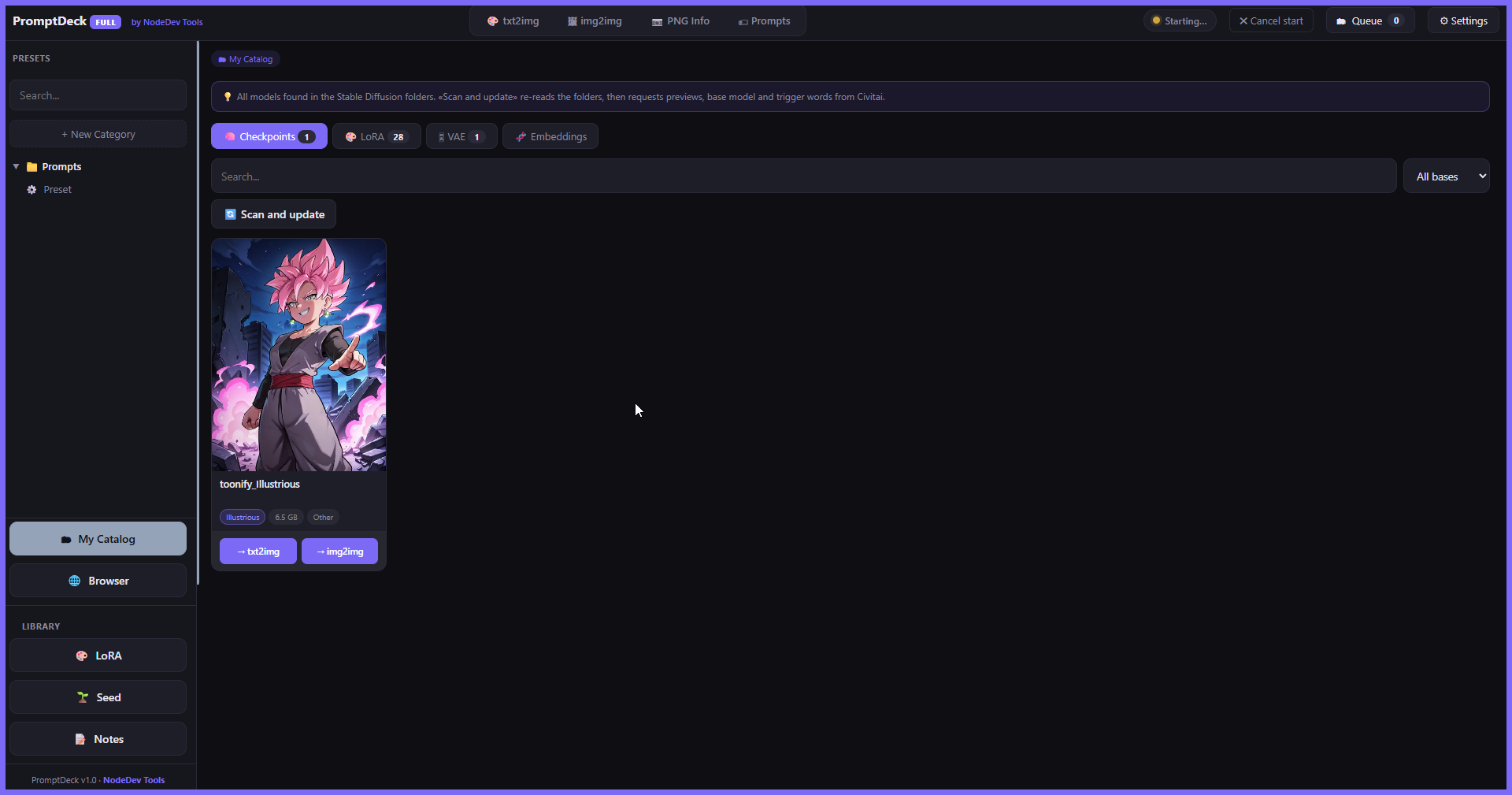
- "What are the trigger words for this LoRA?" — your models become a card gallery with previews and trigger words, matched by file hash, so it works on the files you already have with the names you already mangled.
- "I have 40 tabs open" — generation, editing, model browsing, Civitai and your library live in one window.
- "I cancelled the batch and lost everything" — every picture is written to disk the second it is finished. Cancelling costs you only what had not been rendered yet.
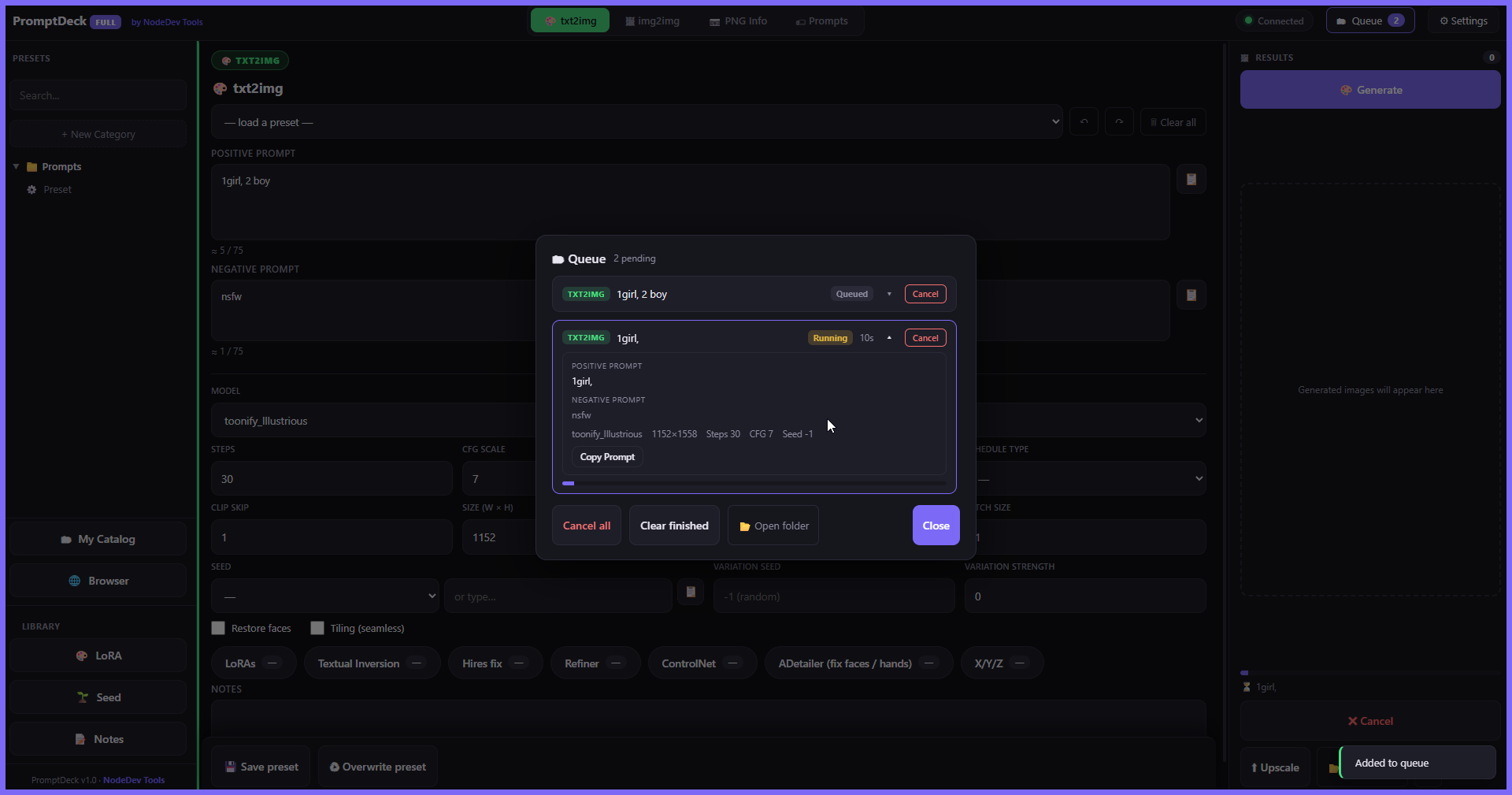
- "Which of these 20 queued jobs do I kill?" — open any job in the queue and read its full prompt before you decide.
🎨 Generate everything
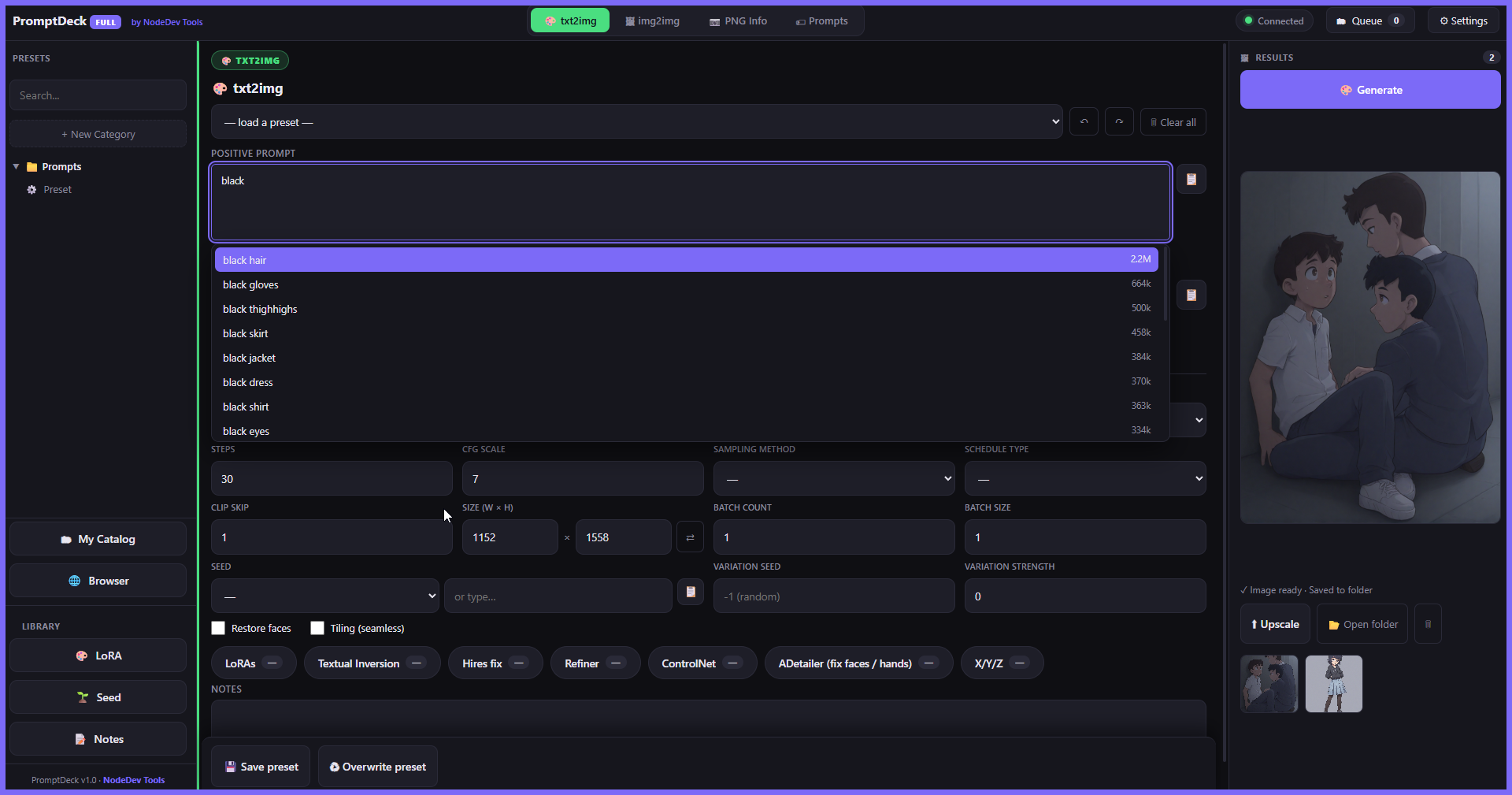
- txt2img — full settings: model, VAE, sampler, scheduler, CFG, Clip skip, size, batches, seed + variation seed, Hires fix, Refiner (SDXL)
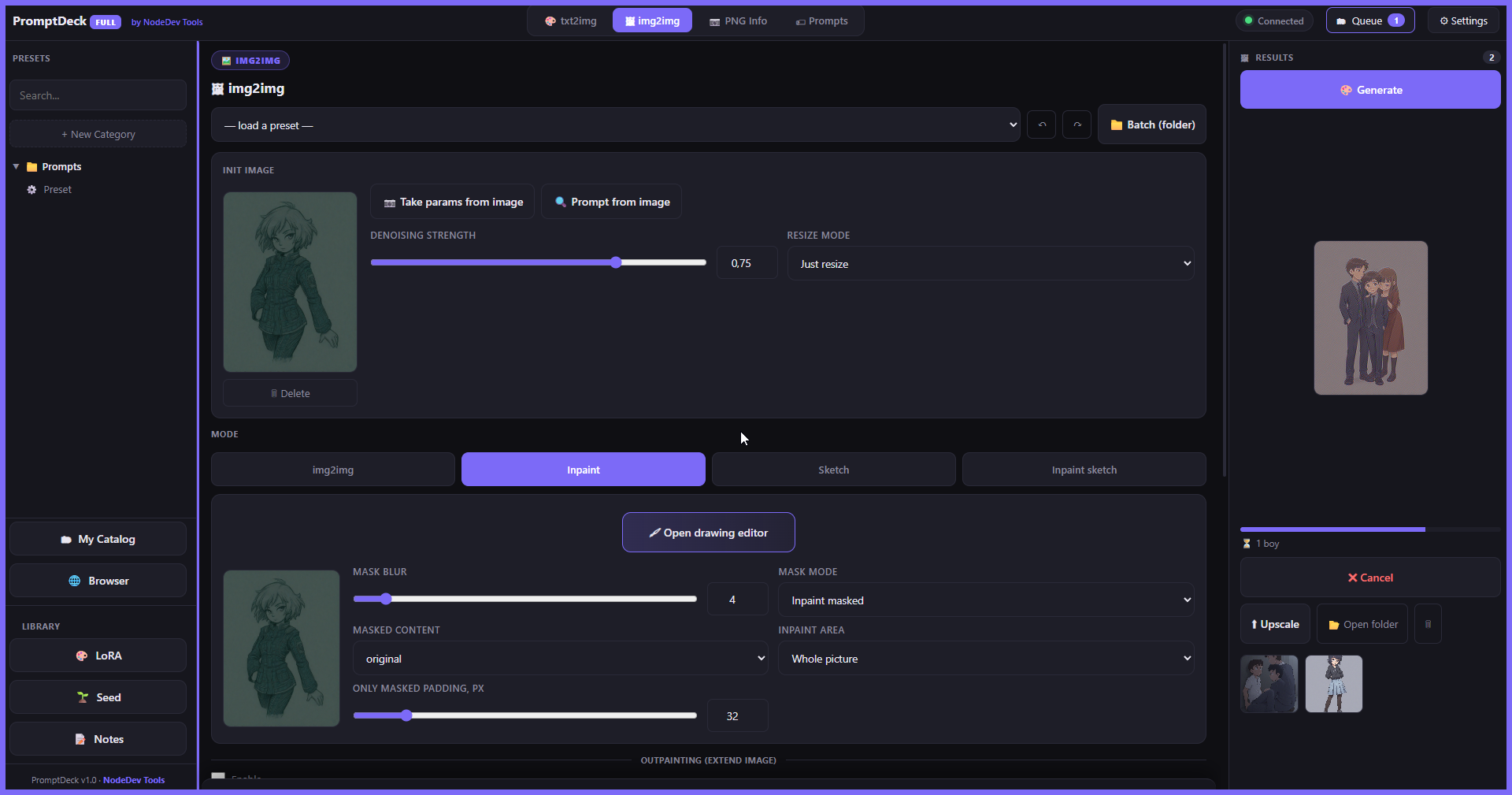
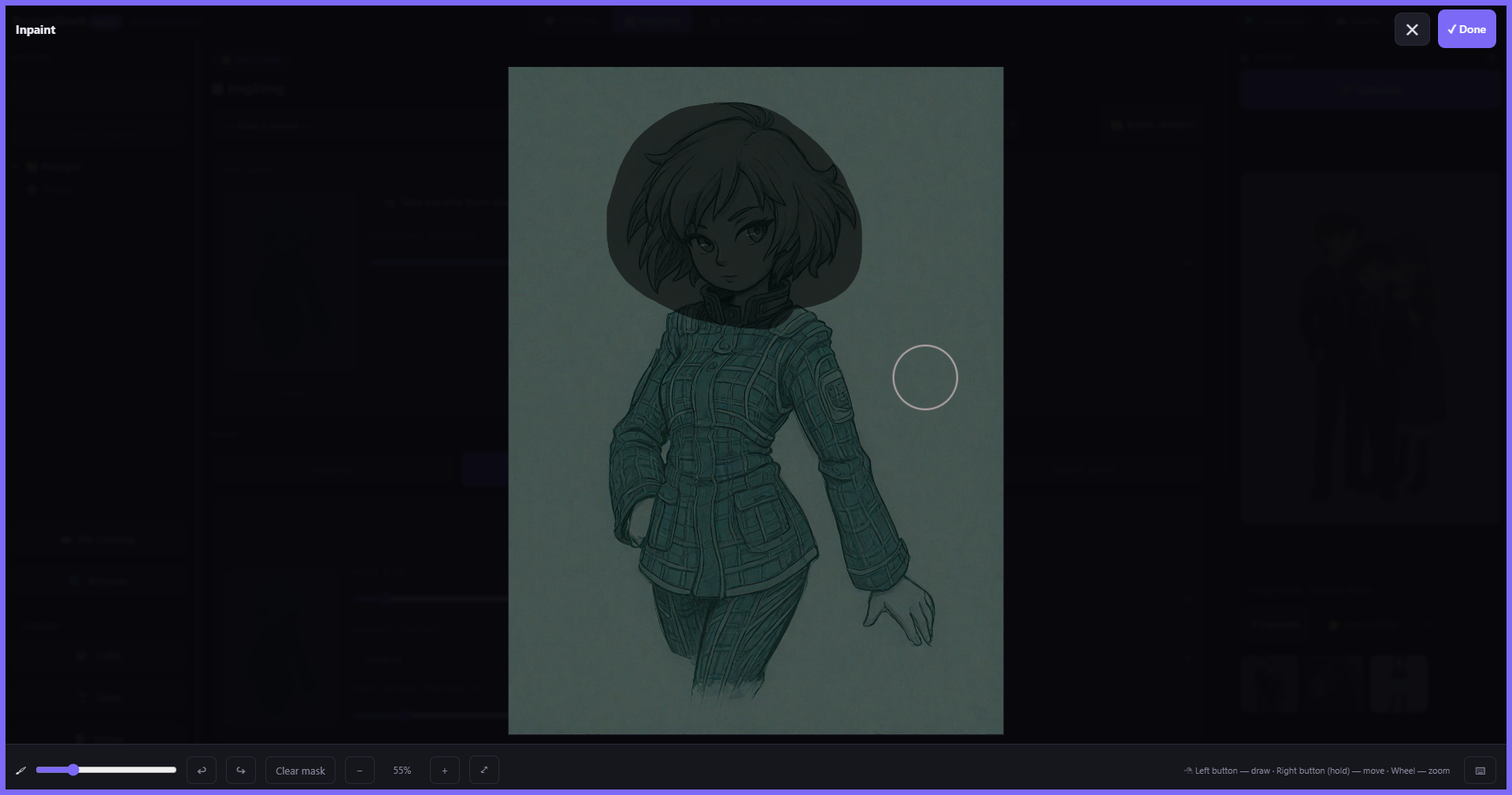
- img2img — inpaint, sketch & inpaint-sketch with a fullscreen drawing editor (smooth brush, zoom, pan, undo/redo, rebindable hotkeys)
- Outpainting — extend any image in any direction
- Batch — process a whole folder of images in one action
- X/Y/Z plots — comparison grids without leaving the panel
⚡ A real generation queue
- Stack as many jobs as you want — txt2img, img2img, batches, different models, all mixed
- Live preview of the picture while it renders, with progress and elapsed time per job
- Open any queued job to see its full prompt and parameters — then cancel just that one, or everything at once
- Finished pictures are already saved. Always.
🗂 My Catalog — your models, finally readable
- Checkpoints, LoRAs, VAEs and embeddings as a gallery with cover images
- Trigger words and base-model badges identified by file hash — no renaming, no manual tagging
- Search and filter by base model; jump straight from a card into your LoRA library
🦴 ControlNet made simple
- Multiple units; preprocessor and model lists read straight from your SD install
- Preview map — see the canny edges, depth map or skeleton before you spend a generation on it
- Pose editor — draw OpenPose skeletons from scratch or over a photo, drag joints, multiple figures
- ADetailer — automatic face & hand fixing when it is installed
✍️ Writing the prompt is the fast part now
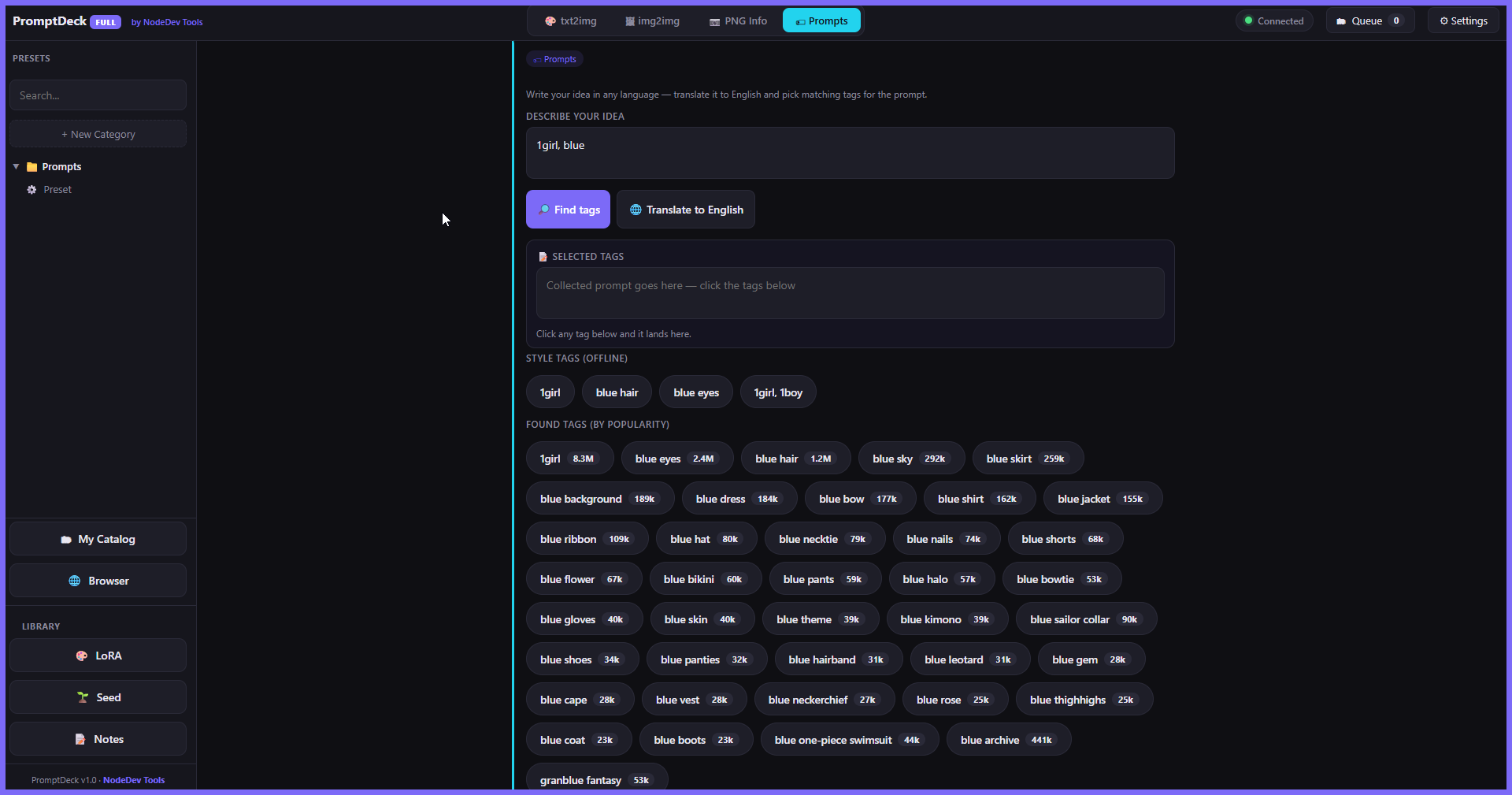
- Tag autocomplete from a real danbooru database
- Wildcards —
__hair__lists for controlled randomness, one roll per picture - Ctrl+wheel weights on the selected word, and a live token counter so you know when you cross 75
- Translator — think in your own language, prompt in English
📚 Your library
- Presets in categories you arrange by dragging
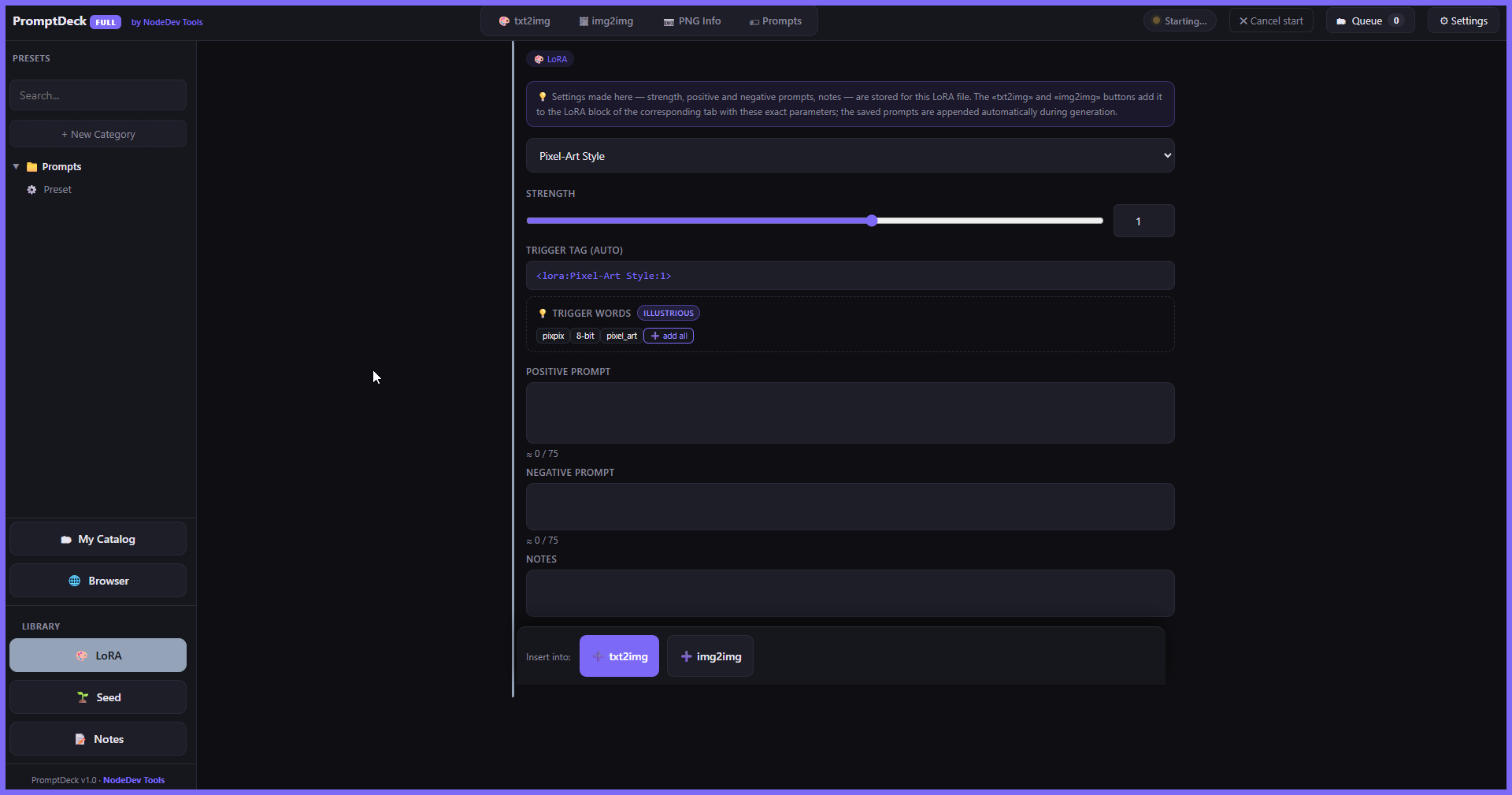
- LoRA library — each file carries its own trigger words, strength and notes, written into your prompt automatically at generation time
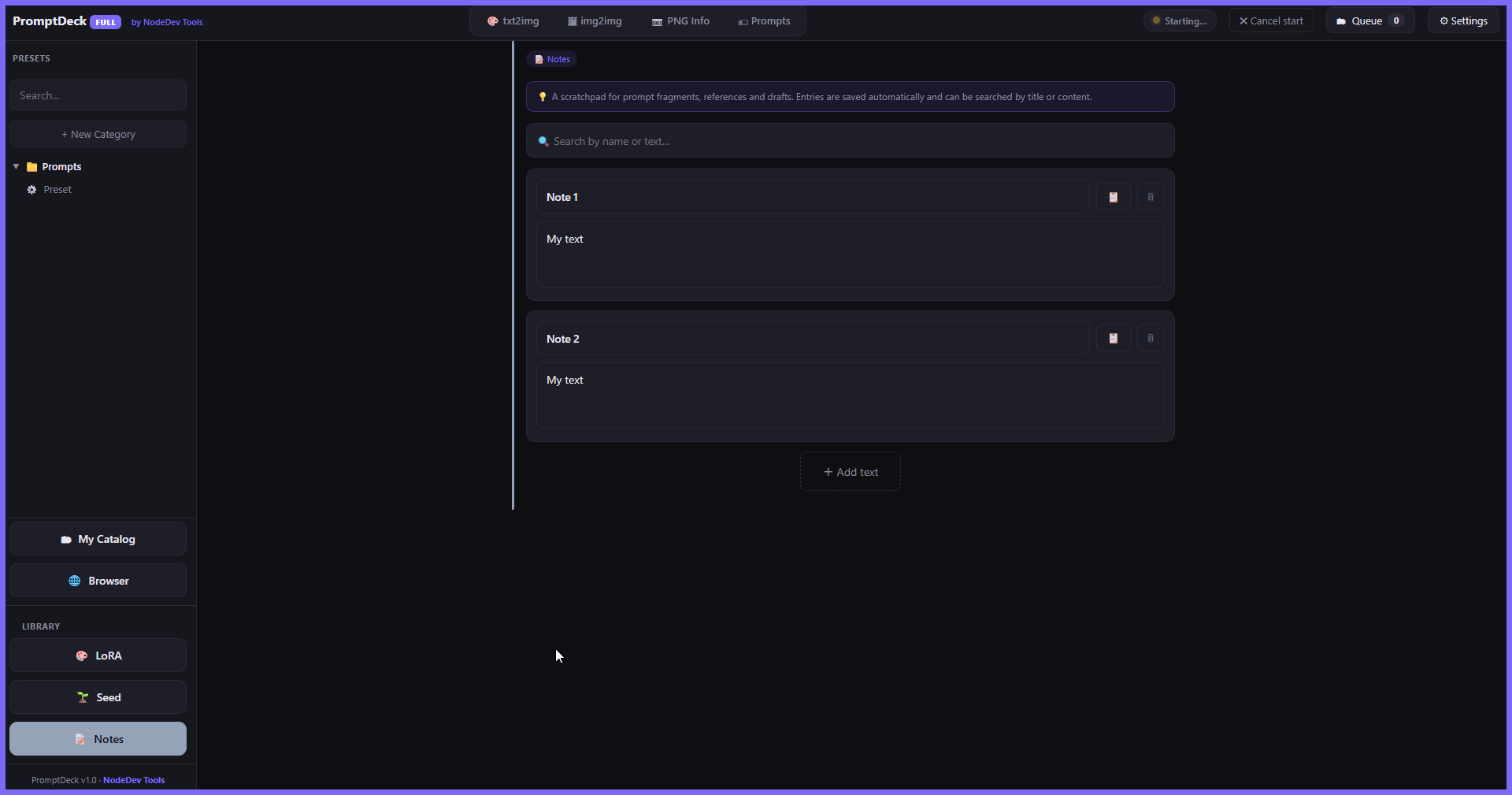
- Seed library for the ones worth keeping, and a notes tab for everything else
🚀 It runs Stable Diffusion for you
- Start SD from the status light — in the background, without a browser tab opening; closed again when you exit if you want
- Startup flags per engine — the ones your build does not define are greyed out instead of breaking your launch
- Flags you wrote into
webui-user.batyourself are shown as already on — your file is never edited - Forge Neo extras — Never OOM, Torch Compile, MultiDiffusion — appear only when they are really installed
🌐 Civitai, inside the app
- Built-in browser with the main site and the adult mirror, next to the panel you are working in
- Find a LoRA, download it, scan, use it — same window
- Downloads open a normal Save-As dialog and remember your folder
📷 PNG Info
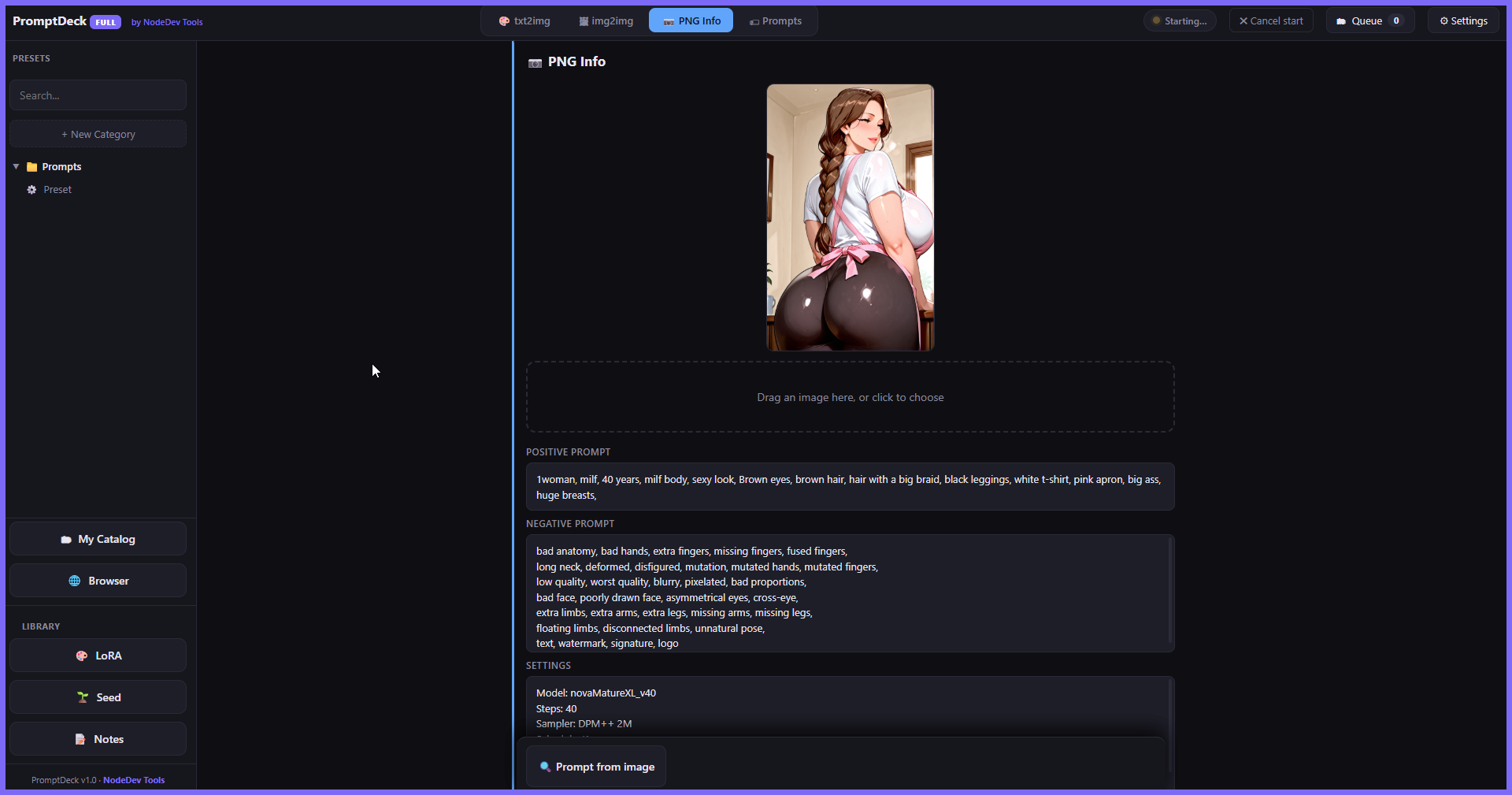
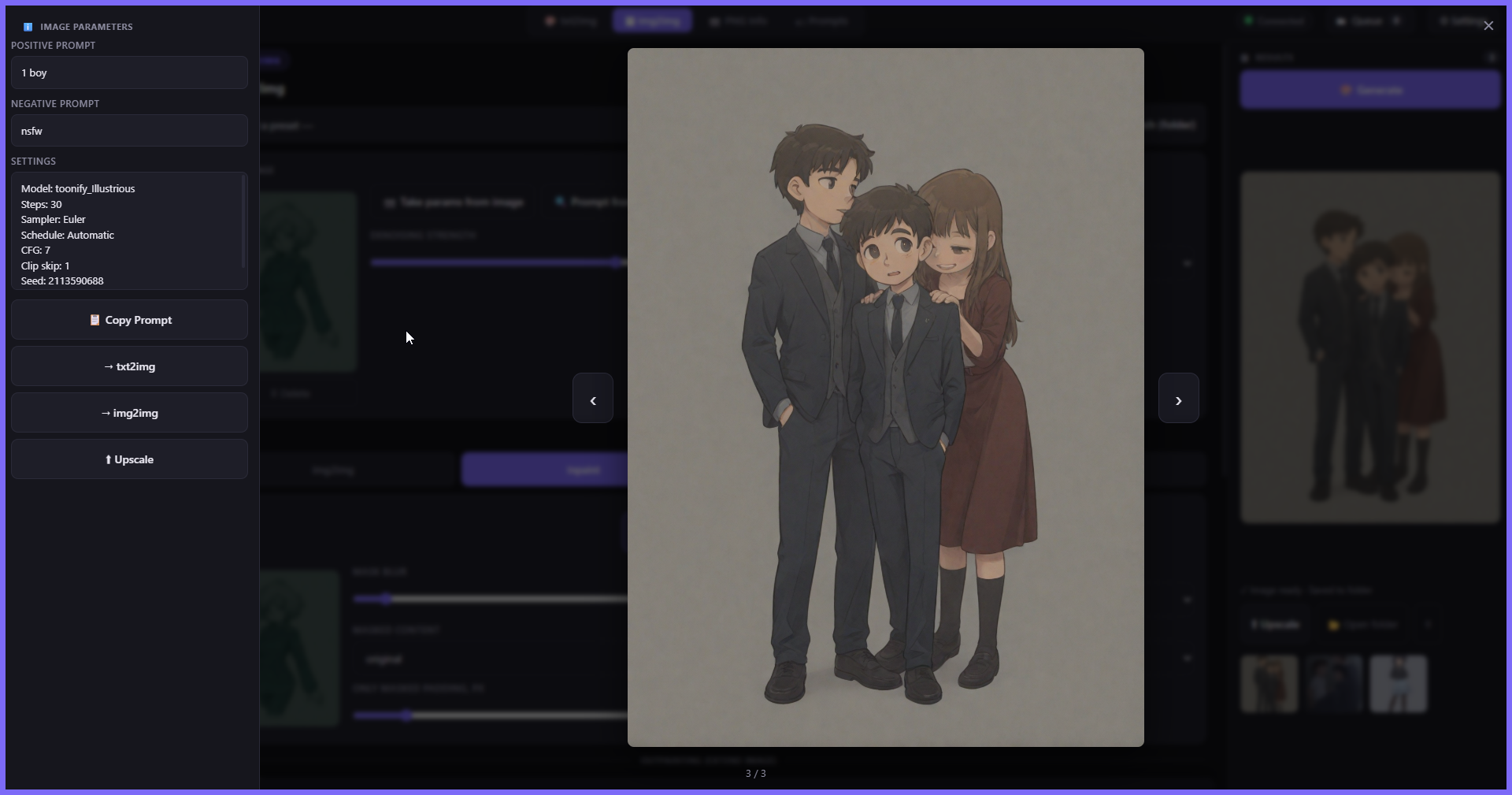
- Drop any generated image and read its settings back
- Send them straight to txt2img, img2img, or into a new preset
🔒 Straight answers
- Does it replace Stable Diffusion? No. It drives the install you already have through its local API. Same models, same VRAM, same speed. It is the workbench, not the engine.
- Does anything leave my PC? Your prompts, presets, notes and images: never. No account, no login, no telemetry, no server on our side at all. Three features reach the internet only when you ask — model identification (file hashes to Civitai), tag search, and the translator — and each switches off in Settings.
- Subscription? No. Buy once, runs offline.
- Will it slow generation down? No — it sends the same API requests the webui sends itself. It actually removes one common waste: it no longer makes the webui reload your checkpoint between images.
- 9 languages — English, Русский, 中文, Español, Português, Deutsch, Français, 日本語, 한국어. The whole interface, including the licence.
💎 Full or Lite
Lite — txt2img, img2img, the queue, the LoRA / seed / notes libraries, up to 10 presets. Enough to see whether it fits how you work.
Full — unlimited presets, My Catalog, the built-in Civitai browser, inpaint & sketch with the mask editor, outpainting, ControlNet + pose editor, ADetailer, Hires fix, Refiner, X/Y/Z, folder batching, PNG Info, tag autocomplete, wildcards and the translator.
⚙️ Before you buy
- Windows. One file, 17 MB, no installer — put it anywhere and run it.
- You need a working Stable Diffusion install (Automatic1111, Forge or Forge Neo). PromptDeck does not ship one and cannot generate without it.
- Your data folder sits next to the exe, in plain sight. Back it up by copying it; move it to another PC by copying it.
Made by NodeDev Tools — one window, and the work you did last week is still there.
Purchase
In order to download this tool you must purchase it at or above the minimum price of $7.99 USD. You will get access to the following files:
Download demo
Development log
- PromptDeck v1.020 hours ago
Leave a comment
Log in with itch.io to leave a comment.